
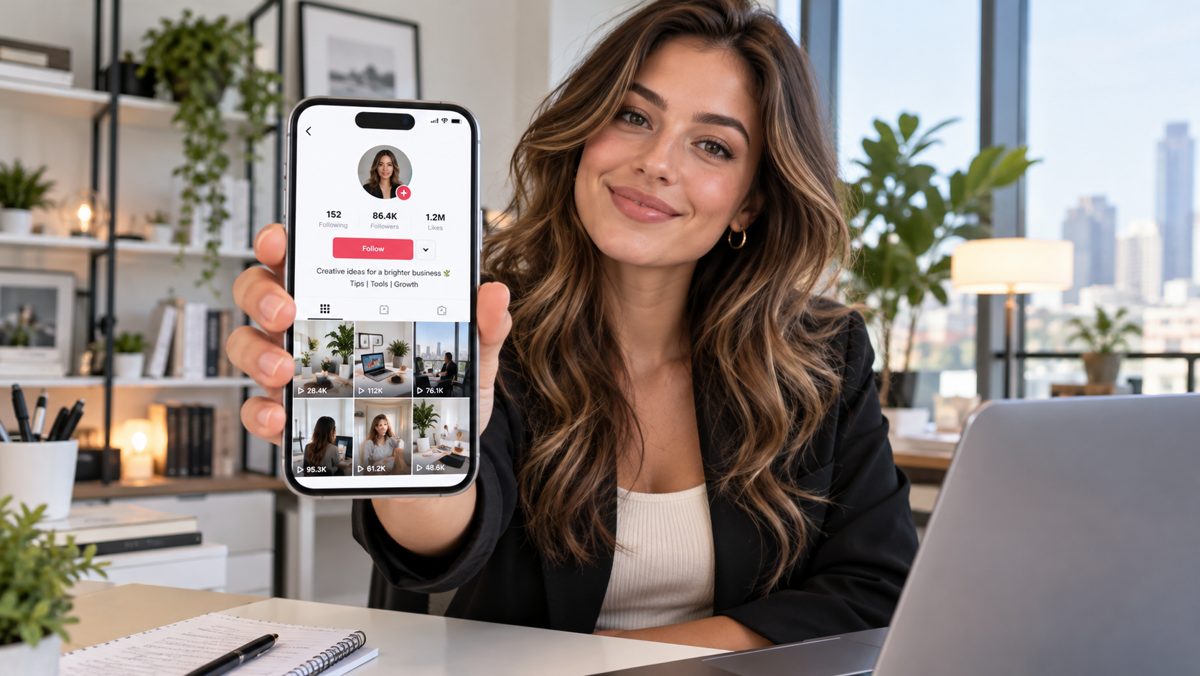
Can ChatGPT plan, create and publish your TikTok content? Yes—with an important distinction. ChatGPT can handle much of the thinking and creation, while a connected publishing tool such as Metricool handles scheduling, TikTok settings and distribution. Instead of treating AI as a caption generator, you can build a repeatable workflow that runs from strategy to post-publication analysis.
I tested the approach by connecting a TikTok account to Metricool and working with ChatGPT on images, a photo carousel and the accompanying copy. This guide explains how to reproduce that process, where the human review still matters, and how to make content that survives TikTok’s different screen layouts.
What can you automate with ChatGPT?
Think of a TikTok publishing process as seven connected jobs: decide what to say, map out when to say it, write the message, create the visual, check the format, publish and learn from results. ChatGPT can assist with every one of these steps, although not every step can be completed without another app.
- Content strategy: audience personas, content pillars, topics, and campaign themes.
- Production planning: weekly or monthly calendars and post briefs.
- Copywriting: hooks, captions, calls to action, hashtags and on-screen text.
- Visuals: image generation and reusable layouts for image posts and carousels.
- Publishing: creation or updating of scheduled posts through a supported Metricool connection.
- Optimization: reading available performance metrics and recommending better follow-up ideas.
There is no guarantee that any AI-generated post will perform well. The objective is to make the process more consistent and easier to improve.
Step 1: Connect TikTok, Metricool and ChatGPT
- Create or sign in to your Metricool account.
- In Metricool, connect your TikTok account and complete the TikTok authorization flow.
- In ChatGPT, open Settings → Plugins, find the Metricool integration and connect it to your Metricool account, if it is available for your plan and region.
- Start a conversation and ask ChatGPT to identify the Metricool brand and social profiles it can access. Confirm the selected TikTok account before planning publication.
Not every ChatGPT account or interface offers the same app actions, so check the current connector capabilities. A connection to TikTok through Metricool is different from a native, direct ChatGPT-to-TikTok connection. You should also review publishing permissions before letting an automation post under your brand.
Try this: “Check my connected Metricool brands. Which one contains TikTok? Do not publish anything yet; just confirm the available account and its time zone.”
Step 2: Plan a month of content before creating individual posts
The biggest efficiency gain comes from planning a system rather than repeatedly asking “What should I post today?” Start with your audience, desired result and four or five recurring content pillars.
Act as my TikTok content strategist.
Business/niche: [your business].
Audience: [who watches and why].
Goal: [awareness, followers, leads, sales or app installs].
Brand voice: [three adjectives].
Generate 5 content pillars and a 30-day calendar.
For each post give me: topic, audience problem,
first-slide hook, format (photo, carousel or video),
CTA, and one measurable objective.
Keep promotional posts in the minority.
Do not schedule or publish yet.
For a startup-oriented account, pillars might be business idea discovery, validating demand, founder mistakes, useful software tools and small practical challenges. Mix quick lessons with examples, questions and occasional product-led content. A calendar is a starting hypothesis—not a rigid obligation.
Step 3: Choose the format: single image, carousel or video
Choose the format based on what the message needs. A single image suits one strong point; a carousel works well for a sequence or checklist; a video suits demonstrations, movement and personality. For educational brands, starting with photo carousels can lower the production barrier.
According to Metricool’s TikTok publishing documentation, its TikTok workflow supports video and photo carousels with up to 35 images. JPEG or WebP are supported for photos; PNG may be automatically converted for publishing.
For example, turn “Three mistakes founders make before validating an idea” into five slides:
- Hook: “3 ways founders waste months on the wrong idea.”
- Mistake 1: Assuming your own problem represents a market.
- Mistake 2: Asking whether people like an idea rather than observing behavior.
- Mistake 3: Building too much before testing willingness to act or pay.
- CTA: “Which mistake is easiest to make? Save this checklist.”
Ask ChatGPT to create a tighter or more surprising version, but verify substantive business claims before publishing.
Step 4: Design a reusable 9:16 TikTok image template
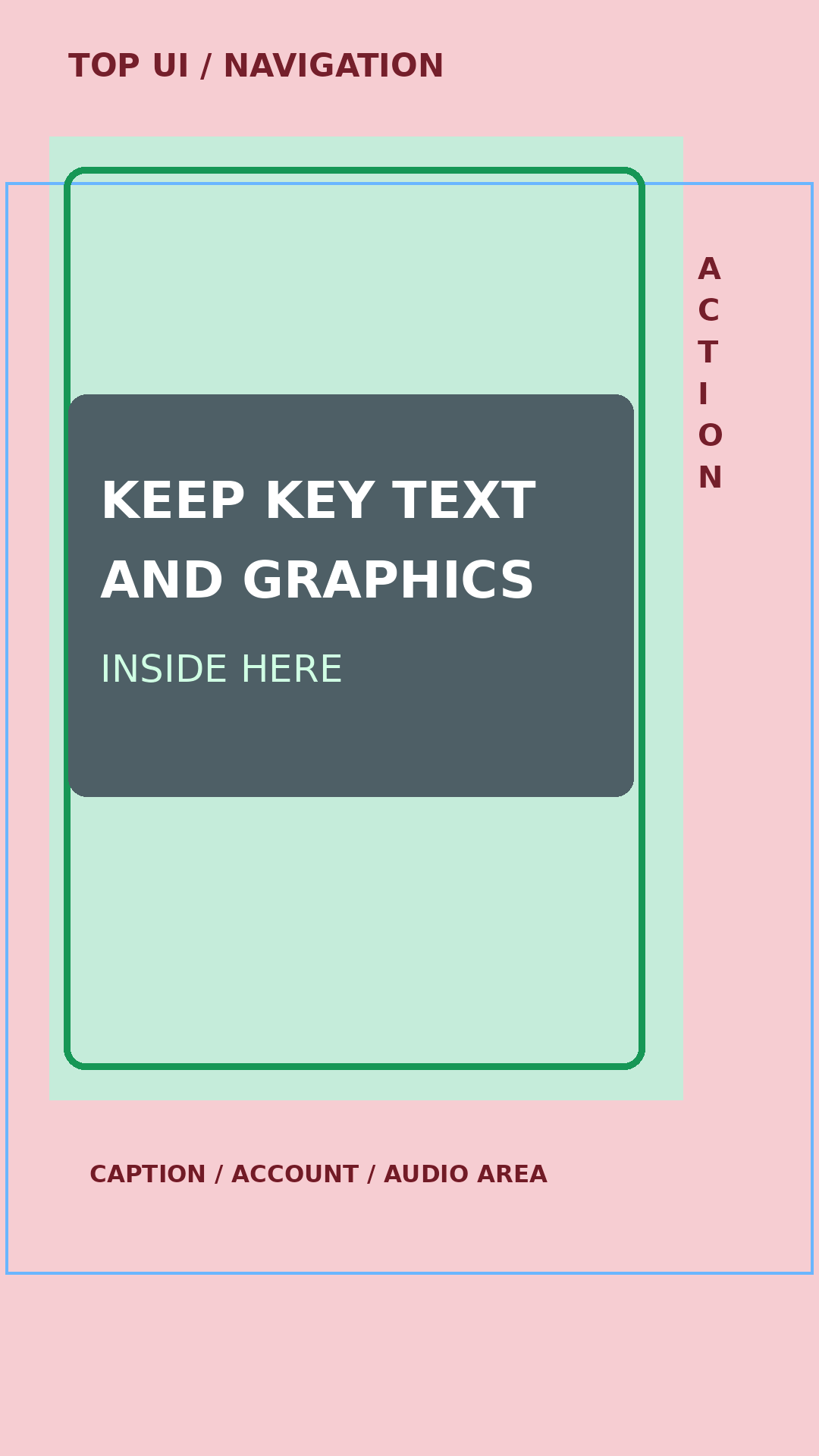
Use a 1080 × 1920 px canvas (9:16) as your default vertical working design. This fills the portrait screen and gives a consistent master layout for images, photo carousels and video covers. The export format does not solve all layout problems, however: TikTok overlays interface controls, usernames, captions and action buttons; profile and search previews may crop the image differently.
Where should the text and graphics go?
Build your template with visible editing guides. Treat the outer edges as caution areas, not useful space for key messages. A conservative starting overlay for a 1080 × 1920 px design is:
| Zone | Suggested working clearance | What belongs there? |
|---|---|---|
| Top | About 130–200 px | Background only; avoid essential headlines. |
| Bottom | About 450–500 px | Avoid critical text under usernames and captions. |
| Right | About 140–160 px | Keep text clear of the vertical action buttons. |
| Left | About 45–60 px | Leave comfortable breathing room. |
| Central area | Remaining clear space | Hook, visual, key point and essential CTA. |
These are conservative design guidelines, not fixed TikTok requirements. Actual visibility changes with device, caption length, format and app interface. Preview the post in TikTok and inspect the profile thumbnail crop as a separate check. Keep especially important headlines and subjects near the center so they remain recognizable in narrower preview crops.
Download the TikTok safe-zone templates
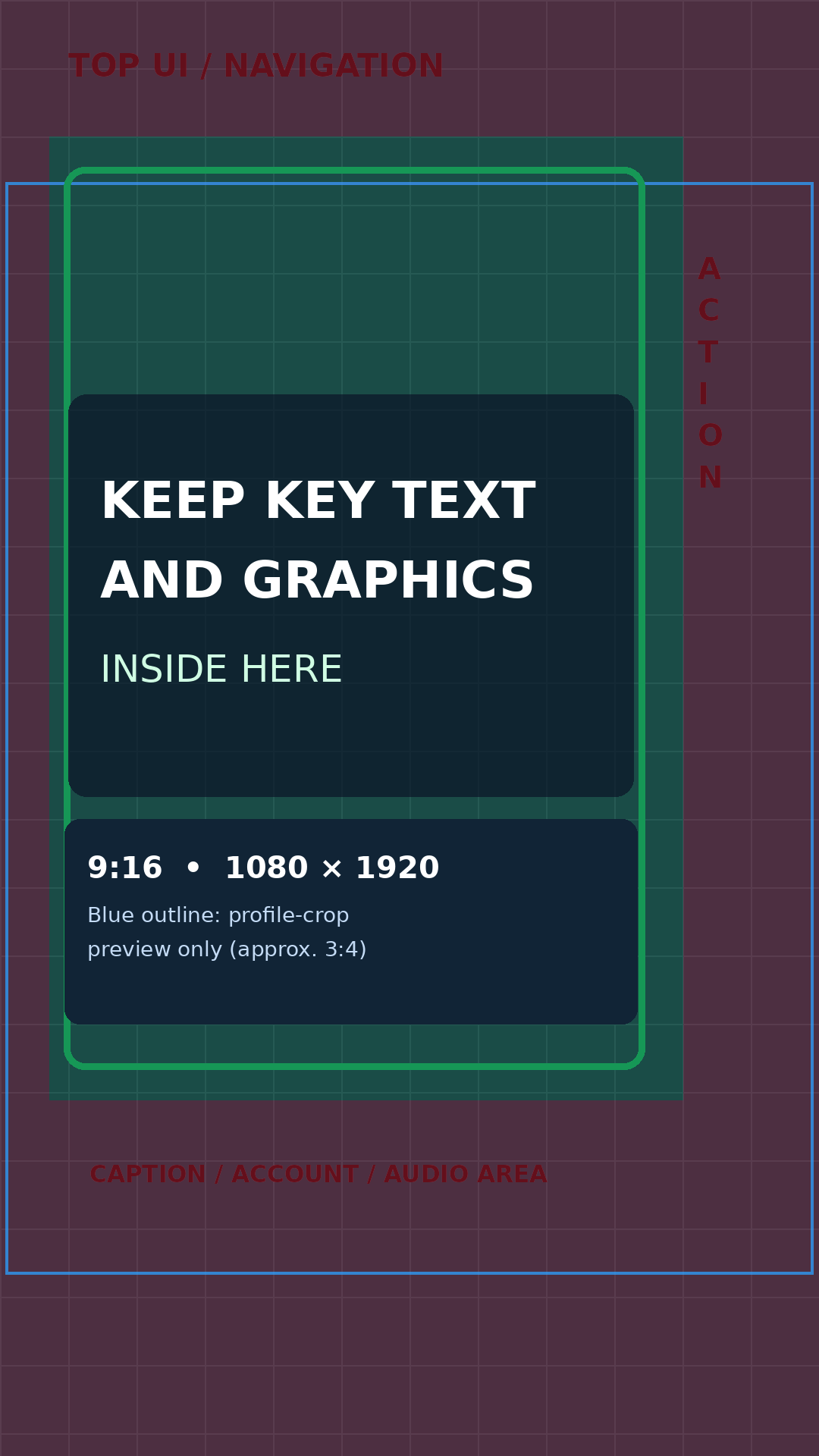
These two 1080 × 1920 px resources help you design portrait TikTok content consistently. The first is a labeled reference guide; the second is a transparent overlay you can place above your own artwork in an image editor. Their boundaries are illustrative, so always review the final crop and interface positioning on the device.
For a reusable design, define five components: a fixed headline location, one principal image/illustration area, a restrained brand marker, a repeating typographic scale, and a limited color palette. Keep slide 1 unmistakably recognizable, but do not cram all of the information onto it.
Create a reusable TikTok carousel template specification.
Canvas: 1080×1920, portrait 9:16.
Brand: [name/colors/fonts].
Style: high contrast, minimal, editorial.
Keep important text away from the top, bottom,
right-hand icon rail and likely thumbnail crop.
Slide 1: maximum 8-word hook.
Middle slides: one idea per slide.
Final slide: one clear CTA.
Describe exact positions, hierarchy, and padding.
Use consistent layouts across every slide.
Step 5: Create the images and carousel slides
Now use ChatGPT’s image-generation capabilities, or a separate design workflow, to create visuals from the approved slide text. The most reliable approach is to separate copy approval from image production. First finalize the exact headline and slide wording; then generate or assemble each slide using the same master template.
For visual consistency, reference a single approved example and instruct the generator to preserve layout, background system, colors, spacing and typographic hierarchy. Inspect every result: AI-generated text, logos, hands, phone screens and charts can contain mistakes.
Prepare the visual production brief for these five slides.
Preserve the agreed TikTok template on every slide.
Use 9:16 portrait format, with all important elements
inside our central safe area.
Use only the exact approved text provided.
Return a slide-by-slide visual plan before generating images.
Ask me to review the final graphics before publishing.
Step 6: Write a caption, CTA and useful hashtags
Captions should complement the visuals rather than repeat every word from the slides. Put the central message early, write naturally, and finish with one relevant action. Hashtags should reflect the topic and the audience; a pile of generic trending tags is not an SEO strategy.
For this TikTok carousel, write:
1. A concise conversational caption.
2. A more educational alternative.
3. A natural CTA.
4. 4–6 relevant hashtags divided into
   topic-specific and audience-specific groups.
Avoid exaggerated claims and generic AI phrases.
Return only copy ready for review.
Example for an entrepreneurship carousel: “Before you spend months building, test whether people have the problem—and whether they will do something about it. Which validation mistake have you seen most often? #BusinessIdeas #StartupValidation #Entrepreneurship #FounderTips”
Step 7: Schedule and publish with Metricool
After approval, the final post package contains the selected account, media files, caption, privacy setting, publishing date and time, and any applicable disclosure options. In Metricool’s planner you can select TikTok, attach the images or video, set the copy and choose a publication time. Enable Auto Publish to publish automatically when supported, or choose a notification-led manual flow when TikTok-native effects or other unavailable features are needed.
You can also ask ChatGPT to work with the connected Metricool app to create or update a scheduled post. Availability depends on the connector actions and account permissions, and the media needs to be available to the publisher as actual files or supported media URLs. It is sensible to schedule the first posts as drafts or review items before handing over routine publication.
Using my connected Metricool brand, schedule this
approved five-image TikTok carousel for [date and time].
Use the provided media, caption and hashtags.
Use my account's time zone.
Show me the chosen TikTok account, media order,
privacy and publishing method before scheduling.
Do not replace any existing scheduled posts.
Important limitations: Metricool says the TikTok API does not preserve line breaks in post copy. Music availability and other settings depend on personal versus business accounts; some TikTok-native effects require manual publishing. Its AI-generated content setting is currently available for video posts through the Metricool workflow, not photo-only posts. TikTok itself requires disclosure for certain realistic AI-generated content, so consult TikTok’s AI content guidance and use in-app disclosure when appropriate.
Step 8: Measure results and refine the next batch
Automation is more useful when the publishing loop includes feedback. After posts have enough time to gather data, compare topics, hooks and formats. Through the Metricool connection, ChatGPT may be able to retrieve available social analytics and suggest better content decisions. The data available depends on the connected profile, metric and reporting period.
Analyze the past 30 days of TikTok performance
from my connected Metricool account.
Group posts by content pillar and format.
Identify the strongest topics and weakest hooks.
Separate observations from hypotheses.
Recommend 10 next posts, explain why each is worth
testing, and propose one improvement per format.
Do not decide exclusively from view counts. For some accounts, profile visits, engagement and downstream actions are more important than raw reach. Compare like with like, and avoid drawing firm conclusions from only two or three posts.
A simple weekly TikTok automation routine
- Monday: review your last posts and choose five topics.
- Tuesday: generate and approve hooks, slide structure and captions.
- Wednesday: create and quality-check images using the same template.
- Thursday: add the media and approved copy to Metricool.
- Friday: review the schedule, check previews and decide what to test next.
Once your first template and prompts are reliable, the schedule can be condensed into one batch-production session. Keep a human checkpoint for factual accuracy, brand consistency, disclosure and publication settings.
What ChatGPT cannot do on its own
ChatGPT is not a replacement for TikTok’s native editor, and it does not magically grant access to every TikTok account feature. It cannot guarantee virality, provide all licensed music or bypass platform API restrictions. Connector actions may change, and some posts still require you to complete the publishing flow manually. The approach should therefore be described as connected, human-supervised automation, not unattended full autopilot.
Conclusion: automate the workflow, not the creativity
A good TikTok system starts with a clear content strategy, not a button that says “publish.” ChatGPT helps you plan, write, generate and improve the content. A consistent 9:16 template keeps visuals coherent and legible. Metricool provides the scheduling and analytics layer. Put these pieces together and a founder or small marketing team can produce more consistently—without sacrificing the final creative judgment that makes the account worth following.
Useful official references: Metricool: Schedule and Post on TikTok · TikTok: AI-Generated Content · OpenAI: Connected Apps in ChatGPT.